
My view
Setup → My view is for everyone. It holds your own choices for how Keel looks and starts. They change only what you see: never the content, never what others see, never what you may open.
Your choices are saved with your user, so they follow you to any browser or computer. Changes show at once; Save (at the bottom) stores them and Cancel puts back what was saved. Leaving My view stores unsaved changes too.
Team default and your choice
Every setting shows Team default (what your admin or the project set) until you change it. Then it says Your choice, with Reset to team default next to it. Reset all to team default at the bottom clears everything; nothing changes for anyone else. When your admin changes a team default, you get it for every setting you have not changed.
What you can set
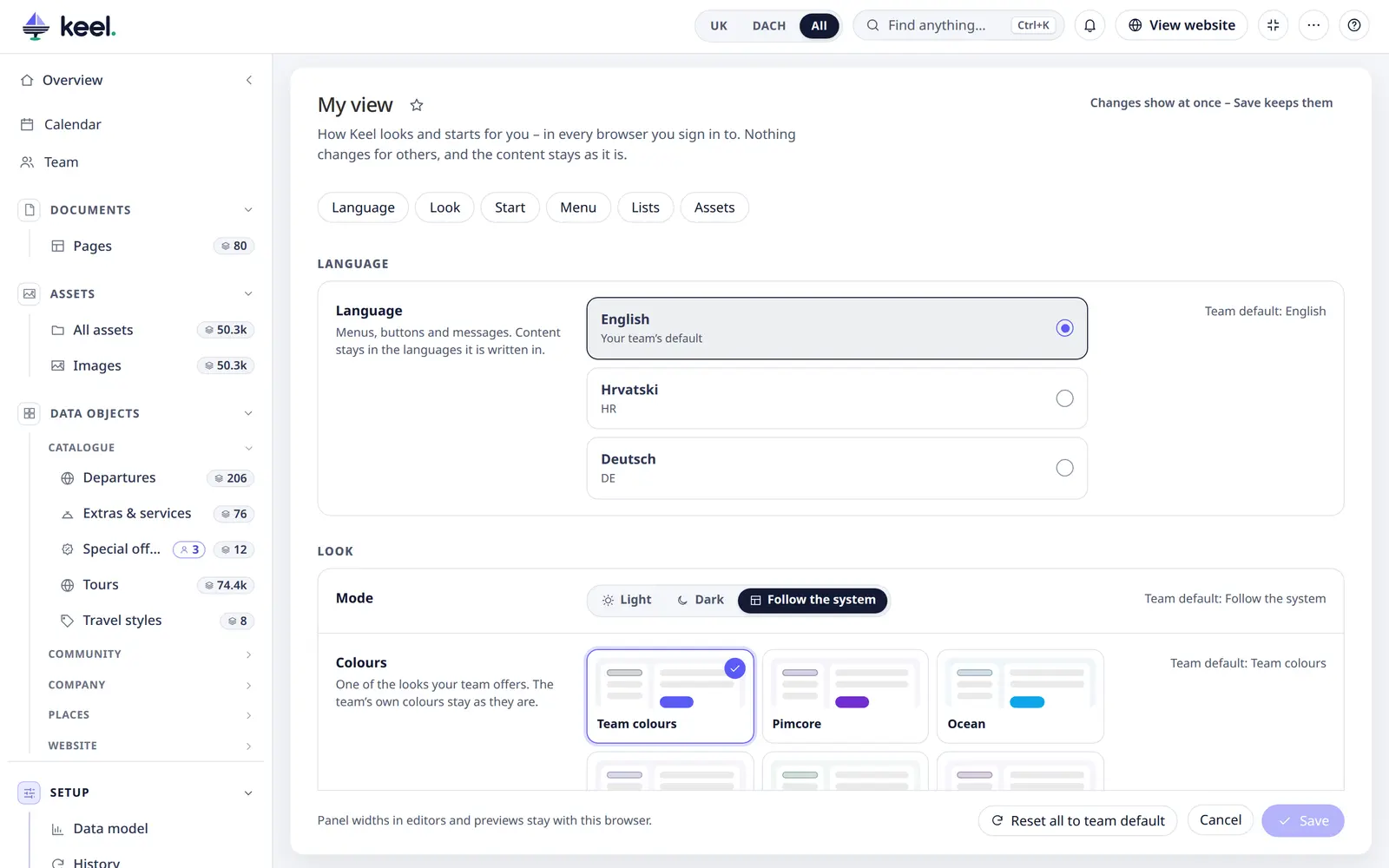
| Group | Settings |
|---|---|
| Look | Light, dark or follow the system; colours (one of the looks your team offers); Language of Keel's menus and messages (the languages your admin offers in Customize → Language). A language change refreshes the whole admin panel, so save open work first. |
| Start | Start page (the last page you opened, Overview, Pages, All assets or a list); the market in the header; which overview cards you see, and the numbers at the top (only what your team switched on). |
| Menu | Full or icons only; width; areas and groups you keep folded or open; favourites (order and removal; star a page next to its title to add); lists to leave out of your menu. A hidden list stays one search away (Ctrl/⌘ K). |
| Lists | Rows per page; your own columns and column widths per list, with Reset to team default for each list. Saved views and which one a list opens with are stored with your user too. |
| Assets | Tile size or list view; files per page. |
Panel widths in editors and previews stay with the browser.
The first time you open Keel after an update, choices your browser had kept are taken over into My view once.
Language
The language moved here: Setup → Language opens My view. See Interface languages.
In the beta
Keel Beta has a smaller My view: mode, colours, start page, market, overview cards, menu style and width, folded areas, lists in your menu, rows per page, asset view and files per page. No favourites, no language choice and no personal columns.